
Spaces and passcodes
Verified against v0.10.0 · internal/api/spaces.go, internal/api/passcode.go, internal/api/authz.go, web/src/pages/OrgDirectory.tsx, web/src/pages/SpacePage.tsx, web/src/pages/SpaceSettingsPage.tsx, web/src/components/DecksPanel.tsx, web/src/components/Kudos.tsx, web/src/pages/Landing.tsx
A space is a team’s room. It has a memorable URL — /o/acme/s/platform-team — a roster,
and a history of every session run in it.
The URL is the point. It survives being pinned to a channel topic, and it is the same tomorrow, which is why Parley does not bury spaces behind a random slug.
Landing on your spaces
Section titled “Landing on your spaces”Signed in, the front page lists the spaces you belong to, most recently active first, and each row opens that space. “Active” means the last time you opened the space, not the day you joined it — the space page tells the server it was opened, so the table you use every week stays at the top. A row for a protected space says Passcode, so you know before you open it whether you will need six characters to hand anyone you invite. Create a space stays on the same page as a secondary action.
Signed out, or in no spaces yet, the page introduces the product instead: what a space is, that the link is the invite, and a box to name your first one. Once you belong to a space that introduction gets out of the way — the list is why you came.
Finding a space you were never sent
Section titled “Finding a space you were never sent”A space is either private or visible to its org. A private space is
reachable only by its link or an invitation; an org-visible one is additionally
listed in the org’s directory at /o/acme, which every member of that org can
browse. The front page carries a Browse org link for every org you
belong to — including when you have joined no space yet, which is exactly when
you need it. New spaces are org-visible, so a team can find its own rooms
without anybody pasting a URL — and an owner can take one back out of the
directory from Space settings at any time.
Opening /o/acme while signed out asks you to sign in first, then shows the
directory, so a bookmarked or shared directory link works from a cold start.
The directory loads 50 spaces at a time, with a Show more spaces button for the rest. An org that has been running for a year has more rooms than anybody wants sent at once, and this is the first page a new member opens.
Being listed is discovery, not entry. Org visibility decides who can find a space; the passcode still decides who gets in. A space that is both listed and protected shows a Passcode badge in the directory, and opening it puts you in front of the same gate anyone with the link would meet. Only a space with no passcode is open-on-click, and then only to members of its org.
On an instance with no sign-in configured, org visibility is refused outright: every visitor there is handed an anonymous identity and enrolled in the only org, so a listed, passcode-free space would be a room the whole internet could walk into. Such instances get private spaces, and the passcode stays the door. Turn on OIDC if you want a directory.
Passcodes
Section titled “Passcodes”New spaces are protected by default. Joining one needs a six-character code,
drawn from a 25-character alphabet with the confusable letters removed — no O
against 0, no I against 1 — because this code gets read aloud in a meeting.
Codes are matched case-insensitively and compared in constant time. Wrong guesses are throttled per client address: eight attempts per minute, per space.
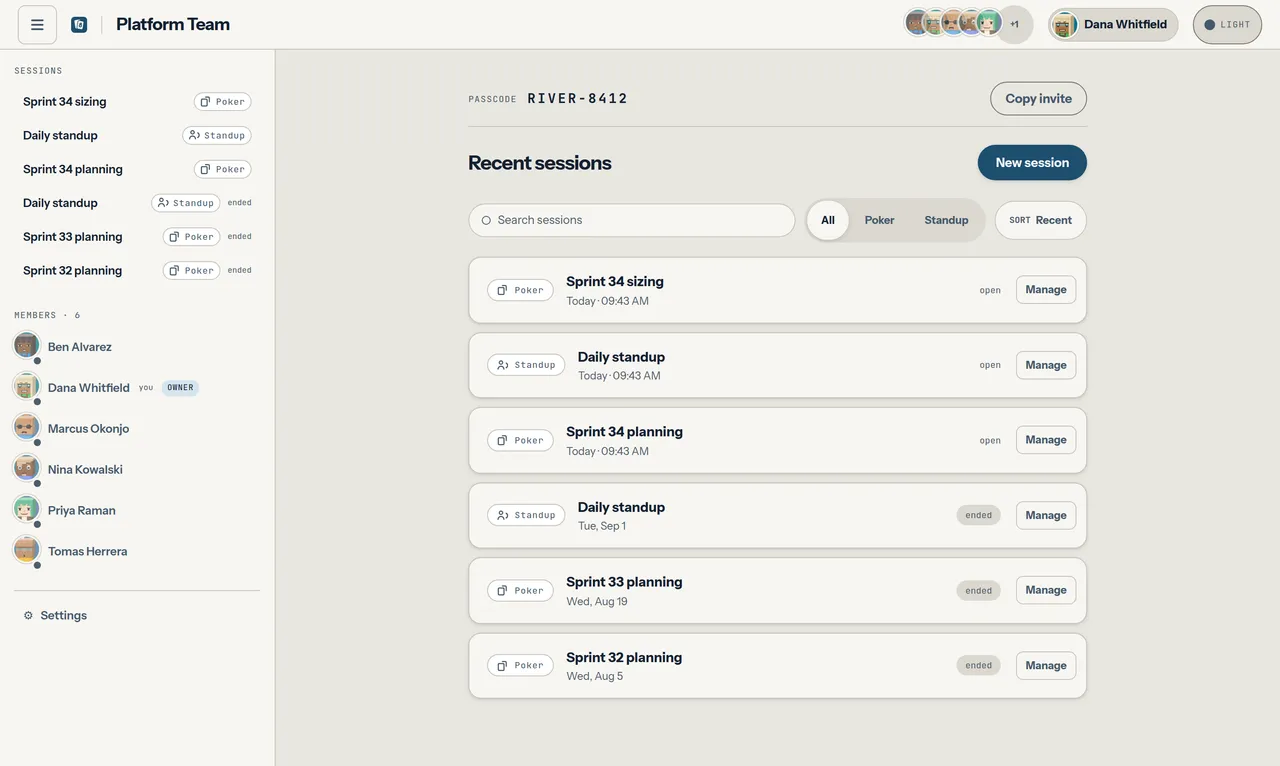
/o/<org>/s/<slug> carries a one-line invite strip above the session list: the
passcode, and Copy invite. Nothing on it changes the door. Minting a new
code — which immediately retires the old one and drops everyone still holding
it back to the gate — and opening the space entirely both live under
Access on the settings page, which is owner-only. The
server itself still accepts either request from any member.
Copy invite puts one link on the clipboard, built from the address you are
already on, with the passcode carried in the URL fragment:
https://parley.example/o/acme/s/platform-team#c=V4KW7J. Opening it is the whole
join — there is no code to read off a second line and retype.
The passcode goes in the fragment rather than a query string on purpose. A
fragment is never sent to the server and never appears in a Referer header,
so a link pasted into a chat does not scatter the passcode through access logs,
proxy history, or the analytics of whatever site someone clicks through to
next. Parley reads it once on arrival and wipes it from the address bar, so it
does not survive into a bookmark, the back button, or a screenshot. The link is
still a secret in transit — treat it exactly as you would the passcode itself.
Copy passcode, beside the Access controls in settings, takes just the six characters, for when you are reading it out or the link is already pinned somewhere. An open space has no passcode, so the invite is only the link, and the strip says so in the same one line rather than showing an empty panel.
An open space is appropriate only on a trusted network. For public reachability, keep the passcode or put an external SSO/authentication proxy in front and add ingress abuse controls.
Space settings
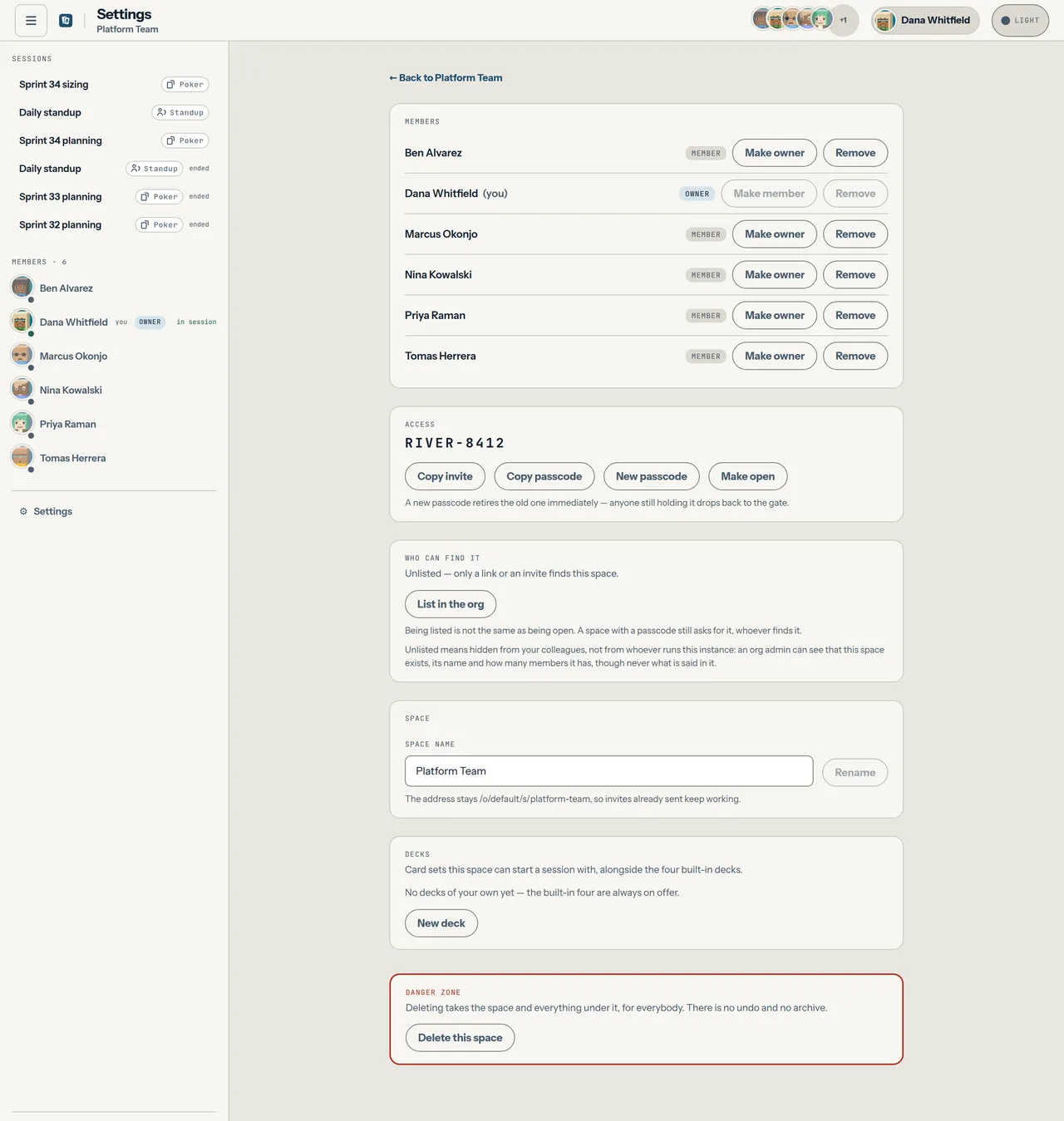
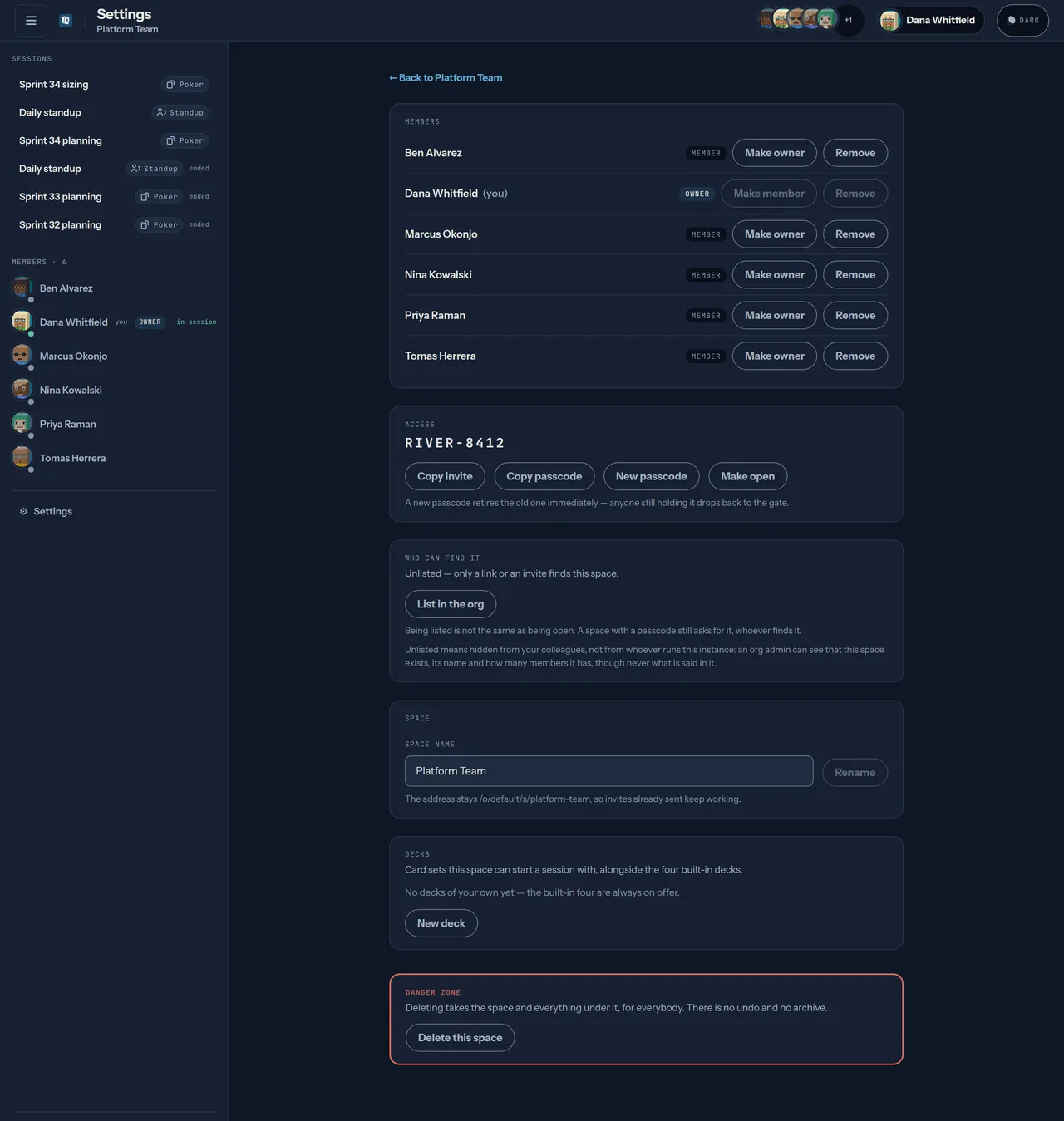
Section titled “Space settings”Everything that changes a space lives on its own route, /o/<org>/s/<slug>/settings,
reached from Settings at the foot of the sidebar — the rail on a wide
screen, the same sheet on a phone. The link, and everything that changes the
space, are owner-only: a member who types the URL is told to ask an owner, and
the server refuses the requests behind it in any case.
The page holds five things, in order: Members with their role controls, Access (above), Space for the name, Decks — the card sets this space has saved — and a fenced Danger zone. Decks are the one panel a member sees too, read-only: they pick a deck when they start a session, so which ones exist is reference rather than administration.
Splitting it out keeps the page a team opens daily to what it came for. The session list and the invite are one audience and one lifetime; renaming, rotating and deleting are another.
A rename changes the display name only. The slug does not move with it, so
/o/acme/s/platform-team keeps working and every invite already pinned to a channel
topic keeps working with it.
Deleting sits alone in the danger zone. It is the one genuinely irreversible thing in Parley: it takes the space and everything under it — every session, story, vote and standup, for everybody — and there is no undo and no archive. The button asks you to type the space’s name back before it will fire, and anyone with a room open is disconnected as it lands.
Each session row carries a Manage button for owners, offering the same two things for one session: rename it, or delete it and its history. That is distinct from a facilitator closing a session, which ends the meeting, keeps the record, and can be reopened.
The roster
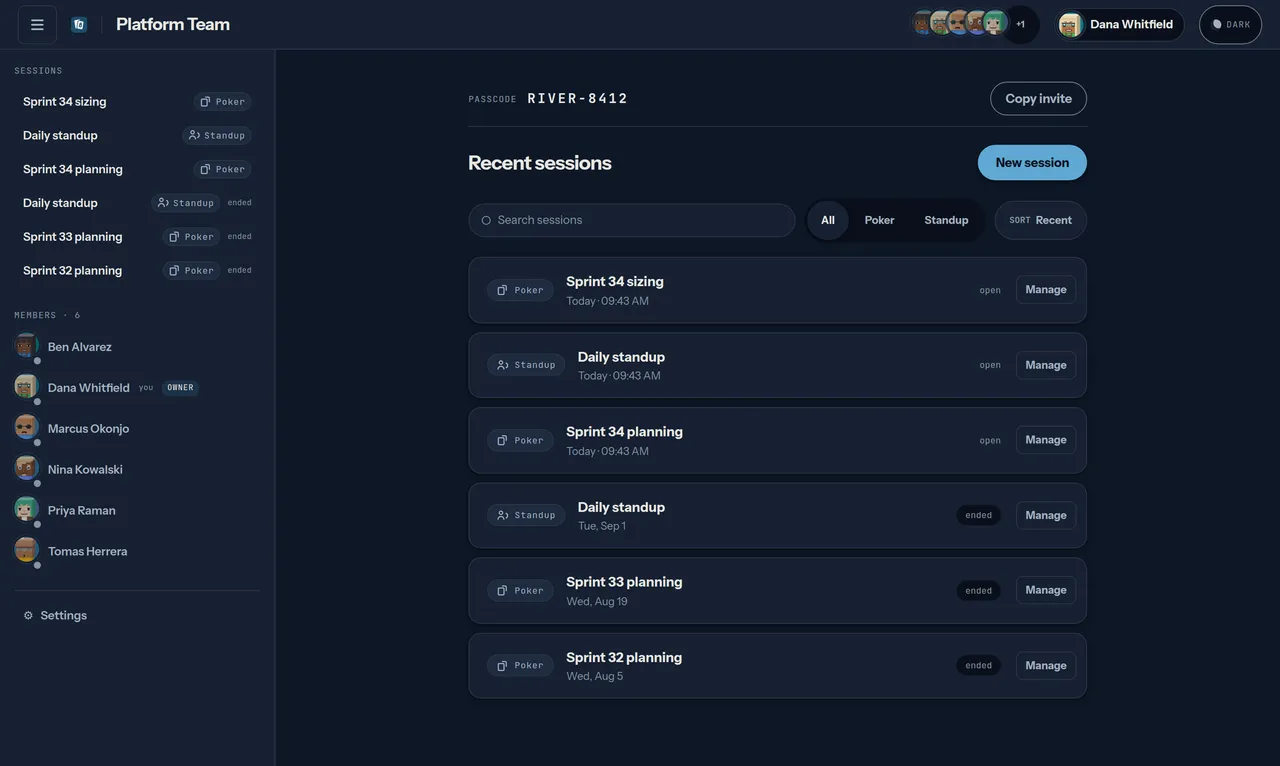
Section titled “The roster”The roster shows everybody who has joined, with a live presence dot and, when they are sitting at a table, which one. Clicking through takes you to them.
Presence comes from the WebSocket hub rather than from a “last seen” timestamp, so it reflects an actual open connection.
Members and owners
Section titled “Members and owners”The sidebar roster names everyone in the space and their role — Owner or Member. The person who created the space is its first owner. The controls that change a role live on the settings page, under Members.
There, an owner gets two controls beside each member: Make owner / Make member to change their standing, and Remove to take their seat away. Removal takes effect on that person’s very next request: they drop straight back to the passcode gate. It is not a ban — a current passcode lets them rejoin as a plain member.
A space always needs somebody who can manage it, so the last remaining owner can be neither demoted nor removed; both controls are disabled and the server refuses the request outright. Stepping down yourself is fine once you have promoted somebody else first.
Session history
Section titled “Session history”Every session ever run in the space is listed with a badge and a relative date. You can search the titles, filter by kind — poker or standup — and cycle the sort between most recent, active first, and A–Z.
The badge says one of three things, and it counts people rather than reporting whether anyone remembered to close the session:
N here, with a green dot — that many people have a socket open on it right now.open— nobody is in it, but it has not been ended. Join it and it is live again.ended— somebody closed it. It is read-only history.
The count comes from the same WebSocket presence the roster uses, so it means an actual open connection. Two things make it approximate by design: a presence record ages out roughly 100 seconds after the last heartbeat, and the page re-reads the space every 30 seconds. Somebody who closes their laptop can therefore linger in the count for up to about two minutes. That is the design, not a bug — it is the price of never asking a database for a “last seen” timestamp and calling it presence.
Below the session list, every space has a kudos wall: pick somebody from the roster, say in a sentence what they did — up to 280 characters, counted down as you type — and it appears at the top of the wall with their name on it. It needs no meeting: thanking a colleague on a Thursday afternoon does not wait for a ceremony to be open.
Only the sender can withdraw a kudo, and nobody can edit one: a misdirected thank-you can be taken back, but text somebody has already read is never rewritten underneath them. A kudo also outlives the people in it — one given to somebody who has since left the space stays on the wall, because it is a record of something that happened rather than an attribute of a membership.
There is no count, no total and no ordering by anything but time. That is a decision, not an omission: the moment a number sits beside a name, the wall becomes a scoreboard, and thanking people stops being free. Kudos has the whole of that argument, and what guests can and cannot do with one.
What is not here
Section titled “What is not here”| Capability | Status | What to do instead |
|---|---|---|
| Per-user or per-team access | Not built | Put an SSO proxy in front, or turn on OIDC and keep spaces open only on a trusted network. Owners manage membership, but a passcode is still the only door. |
| Filtering history by date | Not built | Sort by most recent and scroll; search matches titles. |
| Roles beyond owner and member | Not built | Ownership governs membership and the space itself — renaming and deleting the space and its sessions, and the settings page that holds those controls. It does not govern the door at the server: any member, owner or not, can still rotate the passcode or open the space through the API. Treat membership as trust, and see the threat model. |
| Knock-to-join | Not built | Share the code. Requesting entry from the door is on the roadmap. |