
Quickstart
On your own machine
Section titled “On your own machine”git clone https://github.com/lets-parley/parley && cd parleycp .env.example .env # set POSTGRES_PASSWORD to anythingdocker compose up -dOpen http://localhost:8080 — you should see the Parley landing page. Name a space, share nothing yet: it’s bound to localhost.
On a server, shared with your team
Section titled “On a server, shared with your team”Two changes, made together:
-
In
docker-compose.yml, change the port binding from127.0.0.1:8080:8080to0.0.0.0:8080:8080— or better, leave it and put a reverse proxy in front. -
In
.env, setBASE_URLto the address your teammates will use, e.g.BASE_URL=http://192.168.1.10:8080orhttps://parley.example.com.
BASE_URL drives the WebSocket origin check and the session cookie’s Secure
flag. If it doesn’t match how people actually reach the server, boards sit at
“reconnecting” or logins won’t stick. See Troubleshooting.
Open mode is trusted-network-only. If this address is public, require a space passcode or an external SSO/authentication proxy and add ingress limits for requests and connections before sharing it.
From a prebuilt image
Section titled “From a prebuilt image”Publishing an exact semantic-version GitHub Release builds a multi-arch image
(amd64 and arm64) at ghcr.io/lets-parley/parley. Bring your own Postgres:
docker run -d --name parley -p 8080:8080 \ -e DATABASE_URL='postgres://parley:secret@db:5432/parley?sslmode=verify-full&sslrootcert=/etc/ssl/certs/ca.pem' \ -e BASE_URL='https://parley.example.com' \ ghcr.io/lets-parley/parley:0.10.0Pin a version rather than latest. 0.10.0 is the current release, and 0.2.2 is
the security floor: every earlier release can be crashed remotely by a
disconnecting client, and v0.1.0 additionally has a room-code throttle bypass.
Signing people in with your own identity provider
Section titled “Signing people in with your own identity provider”Open mode needs nothing else. If you set AUTH_MODE=oidc, three more variables
decide who ends up in which organization, and a first run needs all three:
OIDC_ORG_CLAIM=groups # id_token claim carrying the groupsPARLEY_DEFAULT_ORG_CLAIM=parley-users # group the default org answers toPARLEY_BOOTSTRAP_ADMIN=https://idp.example/realms/yourteam|8f2c...PARLEY_BOOTSTRAP_ADMIN is an issuer|subject pair, because the account does
not exist until that person first signs in. Without it nobody is granted admin
of the default org, so nobody can promote themselves or stand up any admin
operations.
Organizations and claim mapping covers the rest,
and Configuration lists every variable.
What you get
Section titled “What you get”A space at /o/acme/s/your-team with a six-character passcode. Anyone with the link
and the code picks a name, gets an avatar, and is in. Start a poker session or a
standup from there.
Make the chip yours
Section titled “Make the chip yours”Clicking your own chip in the top-right corner of any space opens your profile — everything about you this server holds.
Your name is editable there on a server that signs people in by name alone. Where an identity provider is configured the name comes from it, so the field is replaced by a note saying so, and Sign out takes its place.
The avatar starts as your initials on a colour derived from your name. To wear something else, pick one of thirty voxel-art portraits — or Randomize, just under the preview, to be handed one. Initials goes back to where you started. You wear one mark in total. Save stays dim until you change something; press it and the name and mark follow you into every room. Closing the dialog without saving keeps what you had.
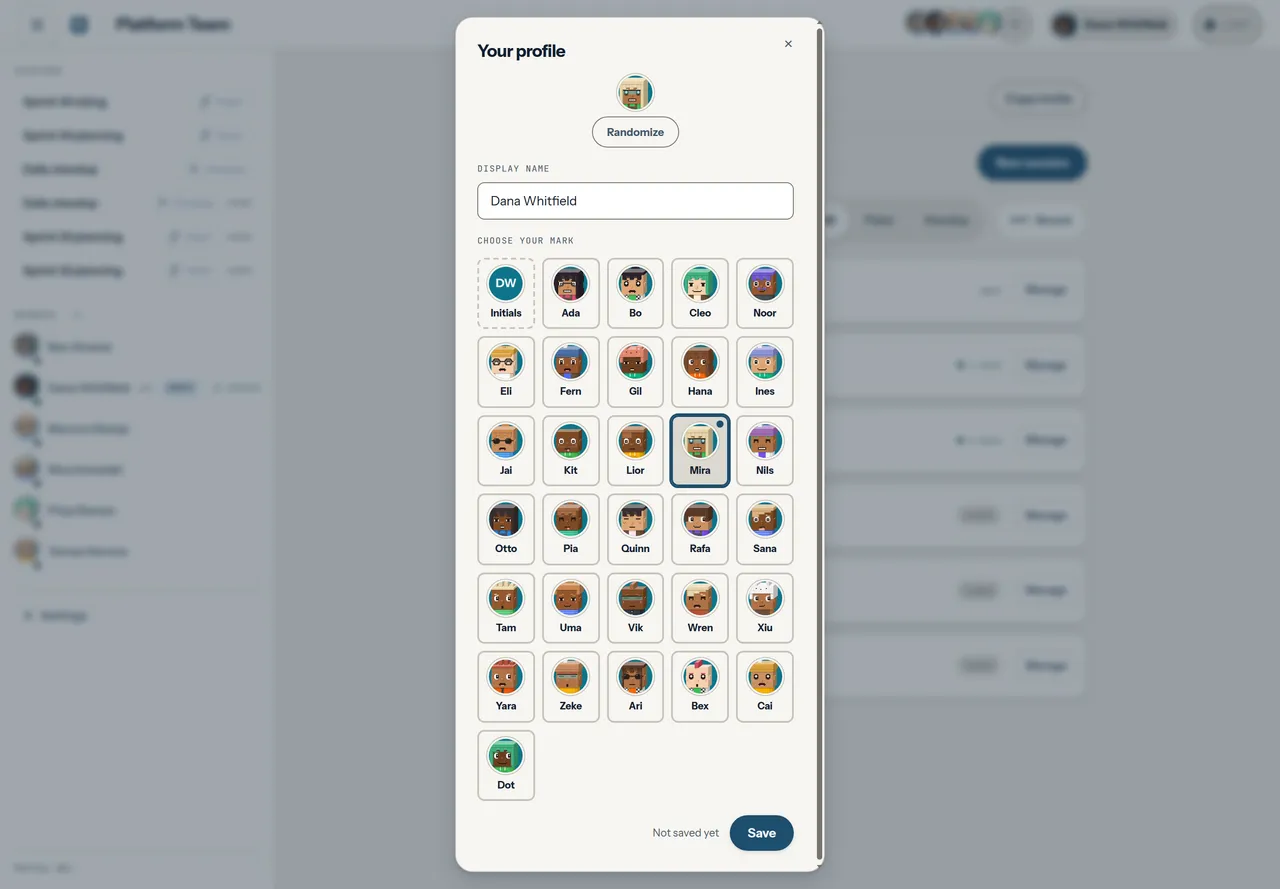
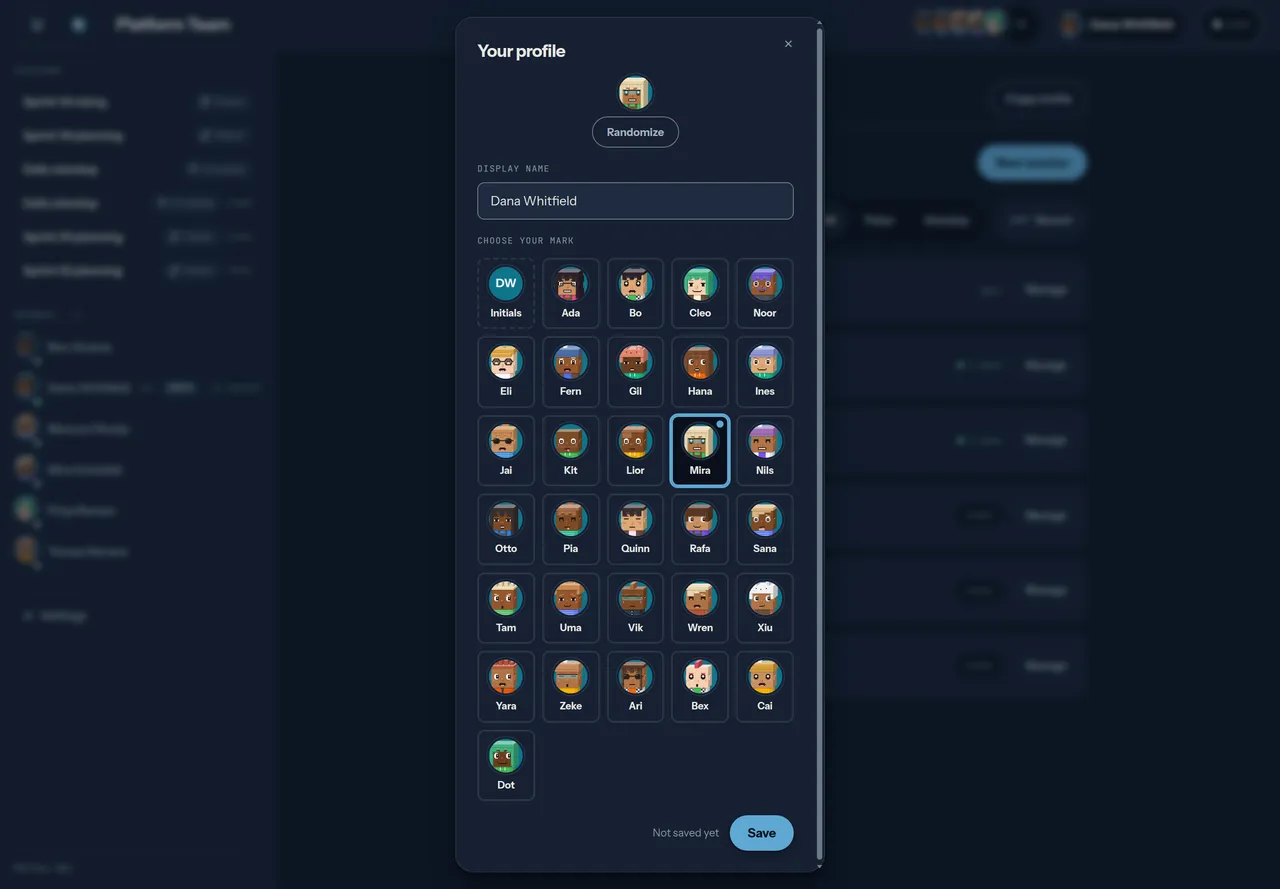
The smallest chips, the ones inline in a line of text, always show initials: at 24px there is no room for a portrait.
Everyone else sees it the next time their room updates, or on their next reload.