
Presenting a room
Verified against v0.10.0 · web/src/pages/PresentPage.tsx, web/src/pages/PokerRoom.tsx, web/src/pages/StandupRoom.tsx, web/src/App.tsx
Every poker room and standup has a Present link in its header. It opens
/session/<id>/present in a new tab: the same room with no controls, set in
type large enough to read across a meeting room.

What it shows
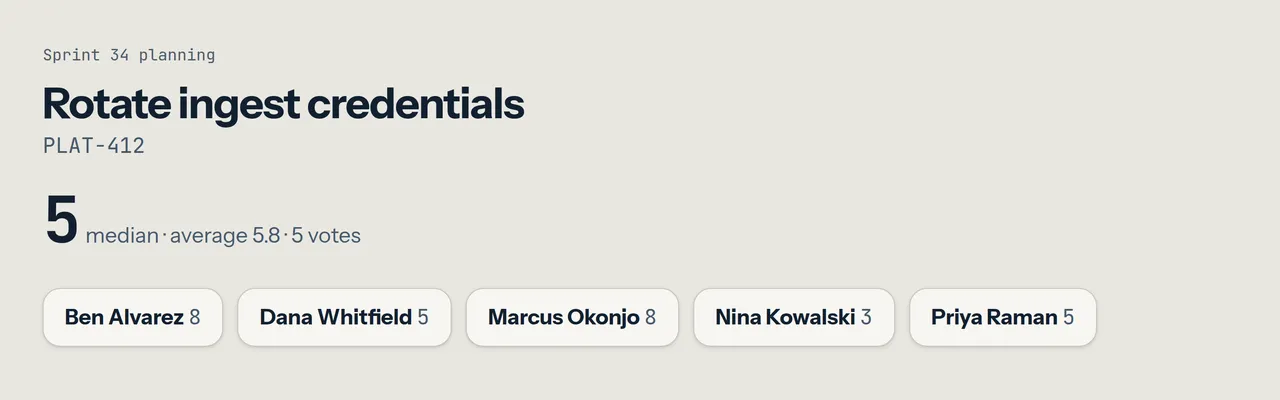
Section titled “What it shows”- Planning poker: the story on the table and one chip per voter. Before the reveal a chip reads voted or not yet, never a card. Once the round is revealed it shows each card and the summary (median or mode, average, vote count).
- Daily standup: who is speaking and their turn’s countdown. Nobody’s written update is shown.
The view shows nothing a participant in the room could not already see. It uses the same sign-in and the same live connection as the room. If you are not allowed in the room, you are not allowed on this page either. It follows your light or dark theme.
Sharing it
Section titled “Sharing it”Share the presenter tab in any tool’s screen share. In Google Meet, you can present it as a second presentation next to the ticket you are discussing, so everyone sees the ticket and the round at once. Your own tab stays in the room, with your hand and controls.