
Daily standup
Verified against v0.10.0 · internal/standup/state.go, internal/standup/routes.go, internal/standup/commitments.go, internal/standup/kudos.go, web/src/pages/StandupRoom.tsx, web/src/components/Commitments.tsx, web/src/lib/notifications.ts, web/src/components/NotificationSoundButton.tsx, web/src/components/AsyncDigest.tsx, web/src/lib/kinds.ts, internal/standup/schedule.go, internal/standup/webhook.go, internal/api/standup_webhook.go, internal/standup/ics.go, internal/api/ics.go, internal/standup/mentions.go, internal/api/standup_mentions.go, internal/standup/away.go, internal/standup/trend.go, internal/store/standup_trend.go, internal/store/sessions.go, internal/session/registry.go, internal/api/standup_away.go, web/src/components/AwayDays.tsx, web/src/components/StandupTrend.tsx, web/src/pages/SpacePage.tsx, web/src/components/StandupSchedulePanel.tsx
A standup session is three text fields per person — yesterday, today, blockers — and an order to speak in.
Notification sounds
Section titled “Notification sounds”Notification sounds are off by default. Turn them on from Your profile or the Sounds off button in a standup room; both controls save the same account preference. Distinct cues mark the start of the round, the start of your own turn, and the finish. Ending a standup early also plays the finish cue. The cue still plays while the tab is in the background.
Browsers may require one interaction before allowing audio. If that happens, the preference remains on and the room offers Enable audio in this tab. Muted rooms keep following live state without replaying missed cues when sound is enabled again. Signed-link guests do not have this account setting.
Writing ahead
Section titled “Writing ahead”Everyone can fill their entry in before the standup starts, and most people should. Entries autosave as you type, roughly every 800ms, with a visible saving/saved indicator.
The draft is deliberately never rehydrated from an incoming broadcast. Parley replaces the whole session state on every update, and an earlier version of this screen used that state to populate the textarea — which meant somebody else’s edit could land mid-sentence and eat your keystrokes. Your own field is local until you stop typing.
Each field is capped at 2000 characters.
Commitments that carry
Section titled “Commitments that carry”Above the three fields is Carrying over: the things you said you would do and have not answered for yet. A commitment is one line you add beside the narrative — it is not part of “today”, and it does not touch the three fields or the CSV export.
It opens with one question: did that land? It is answered with one of three follow-through chips, grouped as How did it go?:
- Done closes it as landed. It leaves the list and does not come back.
- Still on it carries it into the next standup, and the count of how many times it has carried goes up by one — once per standup, however many times you answer. Still on it, a Change and Still on it again in the same sitting is one carry, not two.
- Dropped closes it without it having landed: you are letting it go. It leaves the list like a landed one, the carry count is left where it was, and it is recorded as dropped, never counted as landed.
Every answer resolves the row in place rather than leaving the buttons looking dead. Still on it leaves the commitment open, so it keeps a Change next to it and a mis-click can be corrected without reloading the page. Done and Dropped have already closed the commitment for good, so the row says Landed. or Dropped., holds still long enough to read, and then leaves the list.
A commitment you add during this standup is listed separately, under Taking on now. It has carried over from nowhere, so it is not asked “did that land?” — there is nothing yet to answer. It joins Carrying over at the next standup, if it is still open.
You can withdraw a commitment you no longer intend to do; that removes it rather than answering it, so Remove sits apart from the follow-through chips instead of reading as a fourth answer — and, unlike Dropped, leaves no record that the commitment existed. Removal cannot be undone, so it asks first — with the harmless Keep it leading and holding focus, so the second step is a real step for a keyboard as well as a mouse. Everything here is scoped to you — the answer, the removal and the add all act on your own commitments only, whoever is facilitating.
A commitment still open after two standups’ worth of Still on it answers is marked stuck, in words on the row rather than in a colour — a plain sentence under the commitment, with the carry count as the only figure in it. It is about the work: it says this piece of work has carried, not that a person is failing. There are no streaks, no percentages and nothing that adds up across people — the point is to notice a task that has quietly stalled, which a day-by-day narrative never falsifies.
Absence does nothing. Skipping a standup, or a whole week of them, leaves your open commitments exactly as they were. Nor does deleting a room: a commitment belongs to you and the space, not to the standup you typed it in, so an open one whose original standup has been deleted still appears under Carrying over and still asks whether it landed.
A commitment is at most 500 characters.
Saying you are ready
Section titled “Saying you are ready”Anyone in the round can flip an I’m ready toggle while everyone gathers, and the room lists who has signalled and who is still writing — in words, not only in colour. You can stand back down again; the toggle sends the state you want rather than flipping whatever the server last saw, so a retry cannot land you on the wrong answer.
The facilitator’s button counts it: Start the round · 2 of 3 ready.
It is advisory and never a gate. The button always works, whatever the count says. A hard gate would let one person who stepped away stall the whole standup with no override, which is worse than starting a minute early.
Readiness stops mattering the moment the round starts. It does not affect the speaking order, who gets skipped, or the CSV export — and clicking it once the round is under way will not splice you into an order already underway.
Starting the round
Section titled “Starting the round”When the facilitator starts the standup, the server takes a snapshot of who is currently connected and not spectating, and that becomes the speaking order for the session. People who join later do not get spliced into an order that is already underway.
Anyone who has not written anything yet is placed in name order. Anyone who filled their update in before the round started keeps the position they got when they saved it, which is the order they saved in — so a round where people wrote ahead is not alphabetical.
Somebody who joined by a guest link is in that snapshot like anybody else: they hold no space membership, but they take a place in the order and get the turn when it comes round to them. Running the round stays the facilitator’s.
At the same moment, yesterday writes itself: each person’s “today” from the most recent earlier standup in that space is copied into their “yesterday”. A room opened later the same morning is not “previous”. It is a draft, not a commitment — edit it or delete it.
Running the round
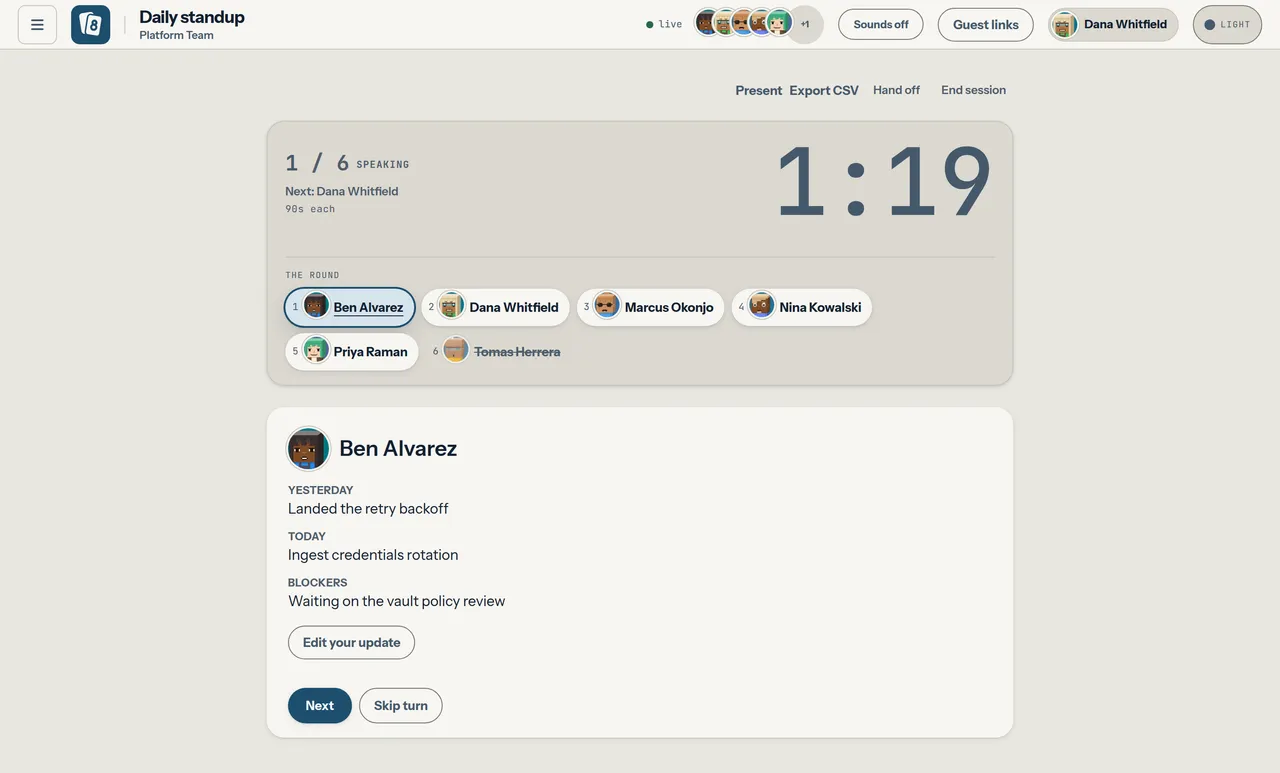
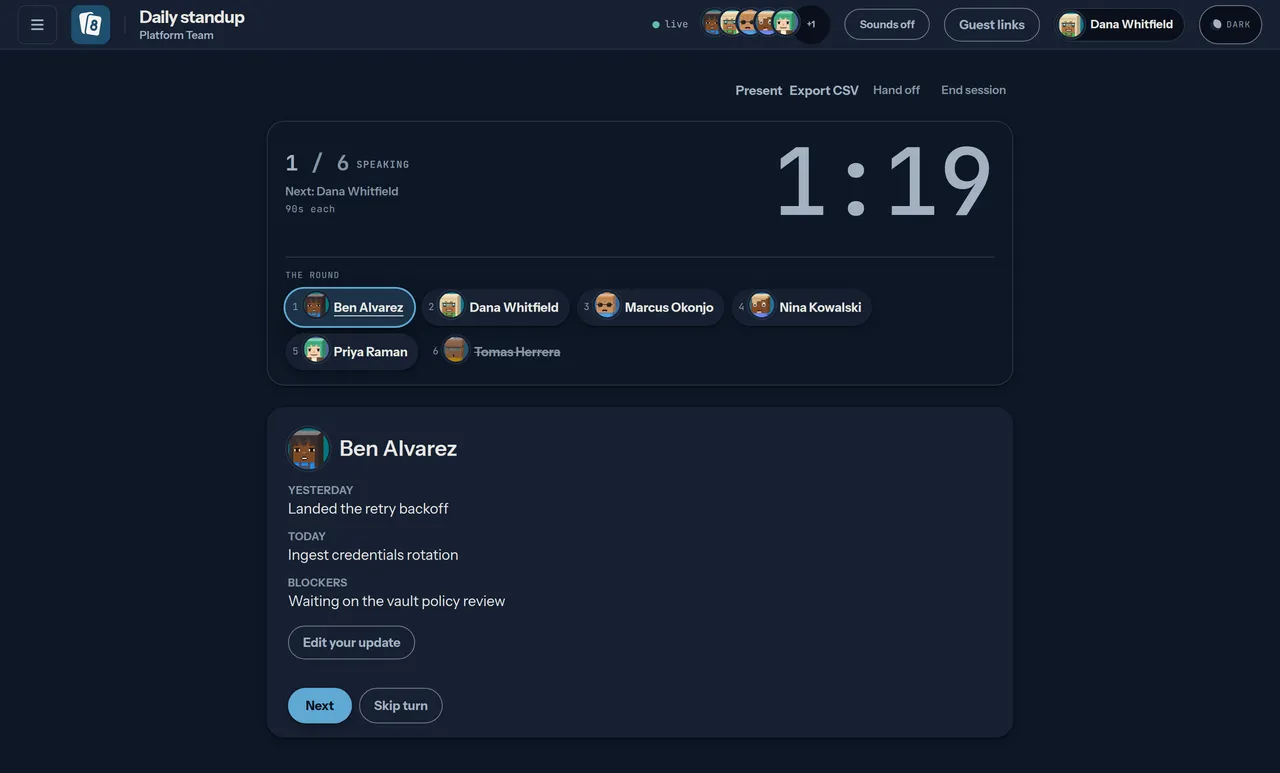
Section titled “Running the round”The speaker rail shows who is up, who has been, and who was skipped. The facilitator advances with Next, or marks someone absent with Skip, which strikes them through and moves on.
There is a per-person countdown, driven off the server’s clock rather than the browser’s, so everyone in the room sees the same number.
Clicking anyone in the rail opens their yesterday/today/blockers, so an update you missed is a click away rather than gone once the turn passes. The panel follows whoever is speaking until you pick somebody, and then stays put — a turn change will not pull you out of the update you are reading. Click that person again to let go, and the panel goes back to following whoever is speaking. Everyone stays clickable after the round finishes, skipped people included.
Handing the standup over
Section titled “Handing the standup over”The facilitator has a Hand off control in the header, next to End session. It opens the roster; picking a name moves the role there and then, with no waiting and nothing for the recipient to accept. Everyone in the room is told who is driving now.
If the facilitator drops off instead, the same 60-second claim banner the poker room has appears here: once their grace period runs out, anyone at the standup can take the chair. Guests are offered neither control.
Ending the standup
Section titled “Ending the standup”The facilitator has an End session control in the header. It closes the session the same way poker’s does: the room stops being live, and the entries and the blockers roundup stay readable in the space afterwards.
The blockers roundup
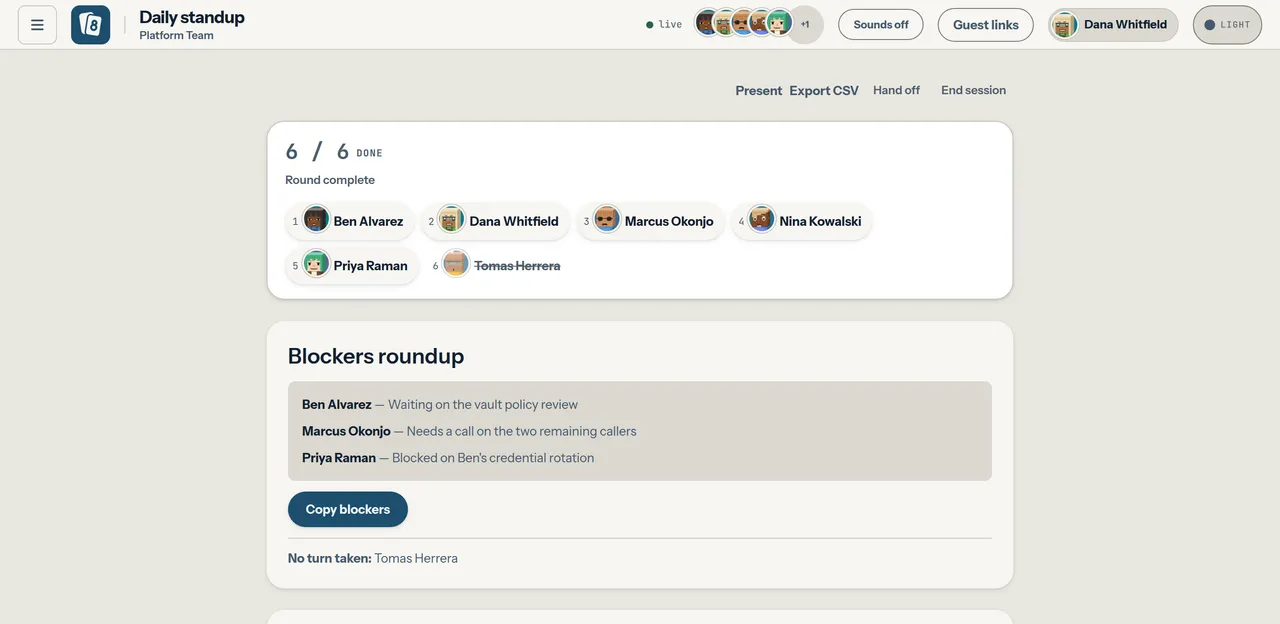
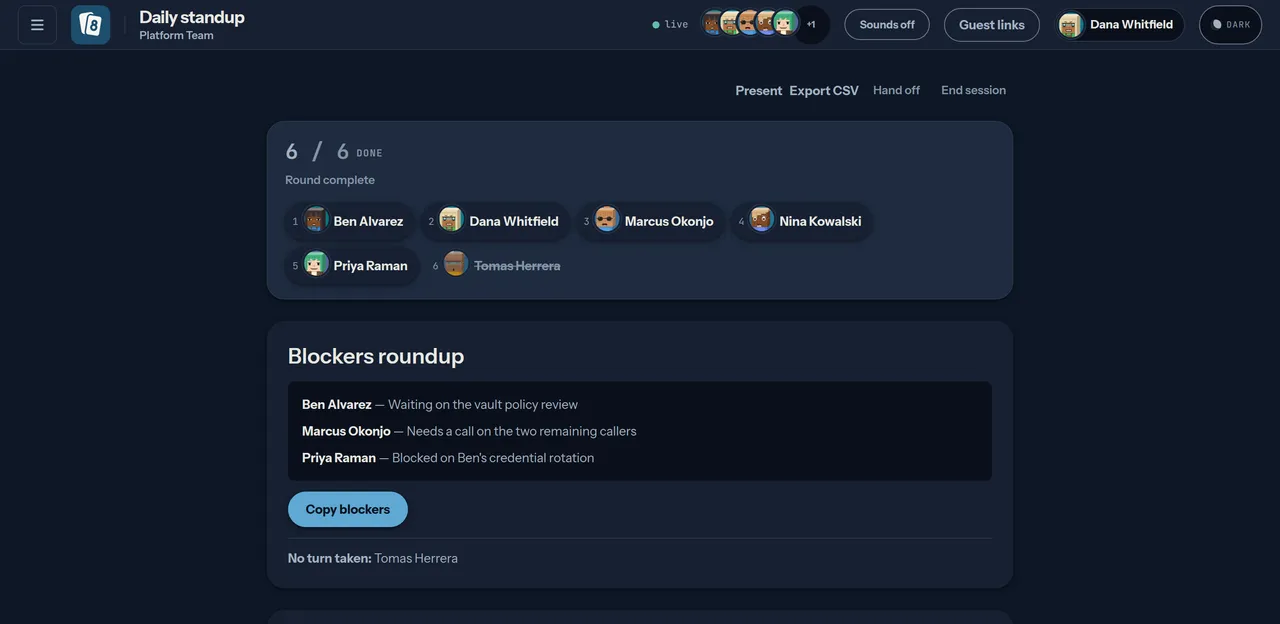
Section titled “The blockers roundup”Anything anybody typed into “blockers” collects into a single list at the end, with a copy-to-clipboard button — which is the bit that actually gets pasted into a channel afterwards.
Kudos at the end
Section titled “Kudos at the end”Once the round is done, the closing panel offers one line: thank somebody by name for something they did. It is the moment a team is most likely to want to — everybody has just heard what everybody else did.
A kudo given here is a kudo on the space’s kudos wall unchanged: one record, one read path, and it stays there after the room is gone. At most 280 characters, and nothing about it is counted or ranked.
Guests neither give nor receive one — the recipient list is the space’s members — but a guest connected to the room does read the closing beat, because the room’s state reaches every socket in it. A guest can read what is said in the room it was let into; the wall around it stays out of reach.
If nobody thanked anybody, the panel simply does not appear.
Async standups
Section titled “Async standups”Choose Async as the mode when you create a standup and there is no speaking order: people answer on their own time, from wherever they are. The room shows your update — which saves as you type and stays editable until the standup ends — and a digest of everyone else’s, in this order:
- Needs you, when somebody has asked for your help with a blocker: who asked, and the blocker they wrote. It is yours alone — nobody else in the room is shown it.
- Blockers, named, for everyone who wrote one.
- Changed commitments: each commitment this standup moved, with its outcome in words — Landed, Dropped or Still on it, while the standup is open. Outcomes only; there is no tally per person, and once the standup ends the section is no longer shown or served.
- Updates, each collapsed to its first line with the time it was posted, shown in your own time zone. Open one to read all three fields.
- Answered, Not yet and Away, while the standup is open and its day is today. Not yet is everyone the standup is waiting on: the space’s members who are not spectators, whether or not they have opened the room, plus any signed-link guest once it has joined the room. A link nobody has used yet is not waited on. Nobody who set themselves away today is listed under Not yet: they appear under Away instead, until they answer anyway. A manual async standup created on an earlier day and still open — or reopened from one — shows neither list: the digest falls back to whoever has turned up in the room, the same as a live (sync) standup, where the room always waits only on the people who have turned up in it.
For a step-by-step walkthrough of running a team this way, see the async standup guide.
Under your own update, Who do you need? lists the space’s members — all of
them, not only those who have opened the room yet — as checkboxes. Ticking one
asks that person for help; unticking withdraws it. The target is a member you
pick, never a name typed as text: the server refuses anybody who is not
currently a member of the space, yourself, and anything that is not a user id,
with 400. Only the person you
asked sees that you asked, at the top of their digest, and you see whom you
asked; the room’s shared state carries neither. A signed-link guest can neither
ask anybody nor be asked, and has no Needs you.
Start, Next and Skip do not exist in an async standup; the server answers them
with 409. Mentions work the other way round: they exist only in an async
standup, and a sync one answers them with 409. A signed-link guest answers like anybody else while its link is
valid.
An async standup can carry a published cutoff. In the New session dialog,
choosing Async offers an optional Cutoff, entered in your own local
time; left empty, the standup has none and stays open until it is ended. The dialog refuses a cutoff already in the past before it is ever sent —
but that is the dialog’s own courtesy, not a server rule: closesAt is
never checked against the clock, so the API accepts one in the past (or one
far in the future) without complaint. Through the API it is closesAt (RFC 3339), alongside
"mode": "async"; a live round refuses one with a 400. If the server refuses
the new session for any other reason, the dialog stays open and shows its
message as written. Passing the cutoff does not end the standup: an
answer written afterwards is accepted and appended with its posted time like
any other, with no late badge. Before the cutoff the answer form reads
Closes and the time; once it has passed it reads Cutoff was that time
and says late answers are still added. The standup ends when the facilitator ends it.
Once ended, its record keeps the entries only — the not-yet and away lists are
never stored or served, and what the standup changed about commitments is no
longer served, so nobody’s landed and dropped history can be rebuilt from old
rooms.
Away days
Section titled “Away days”Away days takes a first and a last day. It sits under your own update in an
open async standup and beside the participation trend on the space page, so it
can be set before any standup opens. On those days you are not listed as owing
an answer in any async standup, and you are not counted in the trend. Away days
are yours: they apply in every space you are in, only you can set or remove
them, and a signed-link guest has none. GET, POST and DELETE /api/me/away
are the same thing through the API.
A range is refused with 400 if its last day is before its first, if it is
longer than 90 days, if it starts more than 30 days ago, or if it starts more
than a year ahead. You can hold at most 20 ranges at once; a 21st answers
409. Which day a standup is “on” is its schedule slot’s local date when a
schedule opened it, and otherwise the UTC date it was created.
The digest’s away list is served only while that day is today, in the schedule’s time zone or, for a standup opened by hand, in UTC. An ended standup serves none, a reopened standup from an earlier day serves none, and a signed-link guest is never sent one. A range counts for a day only if it was created before that day was over, so one set on a past day changes nothing already counted.
Team participation trend
Section titled “Team participation trend”A space that holds standups shows Standup participation to its members: for each of the last 12 completed weeks, the share of eligible people who answered that week’s scheduled async standups. It is a team ratio only. No endpoint, column or response computes participation per person, and the response carries no names, ids or counts.
The trend is built from frozen days. When a scheduled standup’s day is
over, Parley saves one row for it in standup_trend_days: how many people were
eligible and how many of them answered. The day is over when the standup ends —
the facilitator ending it, or the next scheduled slot opening, both of which
save the row in the same transaction — or when its slot’s local date has
passed, in which case the trend saves it the next time it is read. The first
save is the only one: reopening the standup, answering late, joining or leaving
the space, turning spectating on or off, or setting an away day afterwards never
changes a saved day. The trend adds up saved rows and never reads the live
membership or away days for a past day.
- Eligible on a day means a member of the space who is not a signed-link guest, is not a spectator, and was not away that day by a range created before the day was over. A spectator is a member whose spectator flag — the per-space flag the room’s spectator toggle sets and the digest reads — was on when the day was saved.
- Answered means one of those eligible people wrote something in their entry. A spectator’s entry is not counted.
- Scheduled standups only. Only a standup the space’s schedule opened is a trend day. A standup opened by hand never counts, so extra rooms cannot move a week.
- A day under four is dropped. A day with fewer than four eligible people is left out before anything is summed, and a week with no day left is shown as not shown, with no ratio.
- Rounded to one decimal. Each week’s ratio is rounded to 0.1 and shown as the nearest 10%, so the ratio does not pin down the counts behind it.
- Fixed weeks, by local date. Weeks run Monday to Sunday by the slot’s local date in the schedule’s time zone, not by UTC. The endpoint takes no parameters, so the window cannot be moved to difference two overlapping answers.
- Completed weeks only. The running week is never reported, and a week appears only once it is over in every time zone, so a ratio cannot be watched moving from one day to the next.
Deleting a standup does not remove its saved day. A day whose standup ended before this version, or that no end path saved, is saved once from the membership, spectator flags and away days as they are when the trend is first read after it.
What is still disclosed: a member who watched an open standup on its day saw
who answered and who was away, and the updates stay readable after it ends.
The trend adds only a rounded team ratio to that. GET /api/orgs/{org}/spaces/{slug}/standup-trend is the same data through the API.
Scheduled async standups
Section titled “Scheduled async standups”A space owner can give the space a standup schedule under Standup schedule
on the space’s settings page, or through
PUT /api/orgs/{org}/spaces/{slug}/standup-schedule: the weekdays, a local open
time, an IANA time zone such as America/New_York, a window in minutes, and
whether it is on. A new schedule starts in the browser’s own time zone, and the
zone field suggests the names the browser knows, but the server decides: a
refusal is shown beside the form as written. Members see the schedule on the
same page without the form; a signed-link guest does not reach the page at
all. The zone must be one both Parley and Postgres know: Local,
localtime and the posix/ and right/ copies of the zone database are
refused with a 400. A schedule saved with such a zone by an earlier release
keeps opening its slots, and its away days and trend days are read in UTC
instead, with a warning logged. On each scheduled day, at the open time in that zone, Parley opens a
new async standup titled with the local date, whose closesAt is the open time
plus the window. The owner who last saved the schedule facilitates that session
while they are still an owner of the space. Once they have left, or when the
schedule names nobody, the most recently active current owner facilitates it:
latest last_seen_at, then user id, the same order used when a space’s last
owner is promoted. A space with no owner skips the slot and logs a warning. A
later check the same local day tries again once the space has an owner; after
local midnight that day is skipped.
- Opening a slot ends the previous one. The cutoff still does not end a standup; the next scheduled slot does, or the facilitator does first.
- The local date decides. Daylight saving time is followed. An open time that does not exist on a spring-forward day (02:30 in New York) opens when the clocks resume, 03:30.
- A missed slot opens late, the same day only. If no replica was running at the open time, the slot opens as soon as one is, until local midnight; after that it is skipped rather than backfilled.
- Edits reach future slots only. Changing or disabling the schedule never touches a standup already open.
- The schedule counts against the space’s session limit like anyone else. When the space is already at that limit, the slot stays unclaimed, the standup already running stays open, and a warning is logged. A later check the same local day opens the slot once the space is under the limit again. After local midnight that day is skipped.
Every replica checks every 30 seconds, so a slot can open up to that late. A slot opens exactly once however many replicas run: each slot is one row keyed on the schedule and its local date, and only one insert of it can succeed.
Standup webhooks
Section titled “Standup webhooks”A space owner can point the space at one HTTPS webhook, through the API only
for now (PUT /api/orgs/{org}/spaces/{slug}/standup-webhook with {"url"}).
The URL’s host must be on the operator’s
STANDUP_WEBHOOK_HOSTS allowlist,
and the instance needs PLUGIN_SECRET_KEY. The response carries a signing
secret, shown once; saving the webhook again mints a new one.
Parley then posts three events for every standup in the space, live and async alike:
| Event | When |
|---|---|
standup.opened |
A standup session is created, by a person or by the schedule. |
standup.closed |
An async standup’s closesAt passes while it is still open. |
standup.ended |
The standup ends. |
The body is the whole of what leaves the instance — the event, its id, the space and the room’s URL. No update, blocker or name is ever sent.
{"event":"standup.closed","id":"0b1c2d3e-…","sessionUrl":"https://parley.example/session/…","space":{"org":"default","slug":"team"}}X-Parley-Signature is sha256= and the hex HMAC-SHA256 of the raw body, keyed
by the secret; compare it in constant time before trusting the body. The
signature covers no timestamp, so a captured delivery can be replayed later
and still verify. Dedupe on the event id; that replay is not prevented.
X-Parley-Event and X-Parley-Event-Id repeat the event and its id.
Delivery is at least once. A non-2xx answer or a network error is retried after 30 seconds, 2, 8 and 32 minutes, and given up on after five attempts. Every retry carries the same id and the same bytes, so drop an id you have seen. Events are found by a sweep every 30 seconds on every replica, and each event is recorded exactly once however many replicas run. The sweep looks back one day: an event older than that when no replica was running is not sent.
Every delivery goes through the same guard as a plugin’s outbound fetch: https only, the host on the allowlist, resolved once, every address screened, and the screened address dialled. A redirect is not followed. Any 3xx is a failed attempt and is retried on the same schedule as any other failure. An allowlisted name that resolves to a private, loopback or metadata address is refused. See Plugin sandbox.
A personal calendar feed
Section titled “A personal calendar feed”Each person can subscribe to their own standup calendar. Mint it with
POST /api/me/ics and {"remindMinutes": 15} — how many minutes before a
window the single reminder fires, from 0 to 1440. The response is
{"url", "remindMinutes"}. The URL contains the token and is shown once;
GET /api/me/ics afterwards says only whether a feed is active and which
offset it uses. DELETE /api/me/ics revokes it. A revoked or unknown token
answers 404.
Subscribe to that URL from a calendar app. GET /ics/{token} is a GET with no
cookie, so a calendar client can fetch it. The body is an iCalendar feed of
the async windows the caller can currently see: standups whose window is still
open, and enabled schedules’ slots for the next 14 days. Each event’s
description is only the link to the room (or, before a scheduled slot has
opened, the link to the space). It never includes what anyone wrote. One
alarm, at the offset chosen when the feed was minted, is the whole reminder —
there is no second nag.
Space access is checked on every fetch. Leaving a space, or being removed from it, drops that space’s windows from the next fetch. Revoking someone’s org membership revokes the feed as well; deleting their account does too, because the token row is deleted with them. They can mint another feed afterwards, and it lists only the spaces they still belong to.
What is not here
Section titled “What is not here”| Capability | Status | What to do instead |
|---|---|---|
| Configurable timer length | Not built | The server supports a secondsPerPerson session setting and defaults it to 90, but nothing in the UI sets it. Treat 90 seconds as fixed. |
| Async standup | Built in | Answer on your own time and read a blockers-first digest. See Async standups above. |
| Scheduled async standups | Built in | Set on the space's settings page or through the API. See Scheduled async standups above. |
| A webhook editor | Not built | The standup webhook is set through the API only; nothing in the UI sets it yet. |
| A calendar feed on the profile | Not built | Mint, copy and revoke the personal feed through the API. Nothing in the profile dialog does it yet. |
| Reordering the speaking order | Not built | Fixed once the round starts. Skip moves past anyone who is not ready. |
| Editing a kudo | Not built | The sender can withdraw one from the space's wall. Nobody can rewrite text somebody has already read. |
| Participation per person | Out of scope | Only the team trend exists: frozen per-day counts from scheduled standups, days under four eligible people dropped, rounded to one decimal. No endpoint, column or screen computes it for one person. |
| Chasing people who did not write anything | Out of scope | Parley does not nag. The one reminder is a calendar alarm the person set on their own feed. |